
Smart TV remote for iPhone and iPadThe remote your TV forgot to ship.
Beam turns your iPhone or iPad into a remote for supported Samsung, LG, Sony BRAVIA, Roku, Fire TV, Philips, VIZIO, Sharp, Vestel, Whale OS, Hisense, Panasonic, TCL and Google TV sets, over the Wi-Fi you already have. No infrared, no extra hardware.

The basic remote stays free. Some features are part of Beam Premium.
- Fire TV
- Xiaomi
- Sharp
- ZTE
What people say
What people are saying.
The ultimate remote control I was surprised by the app's visual interface and ease of use. It includes a wide range of TVs and devices, with the possibility of adding more. Everything works perfectly.
Ap***o · Spain
Works great. I was manage to connect this seamlessly to my Roku Streaming Stick and Samsung TV. ... Overall solid.
Wo***r · United States
I will keep using it Good luck, I will keep using it :)
Be***e · Australia
Excellent app Excellent app!! Thank you!!!
No***8 · United States
Very good app Very good app, and I have tried several.
ya***o · United Kingdom · translated
How it works
Three steps. That is the whole app.
- 01It finds your TV
- 02It pairs your TV's way
- 03Then it is just a remote
Discover
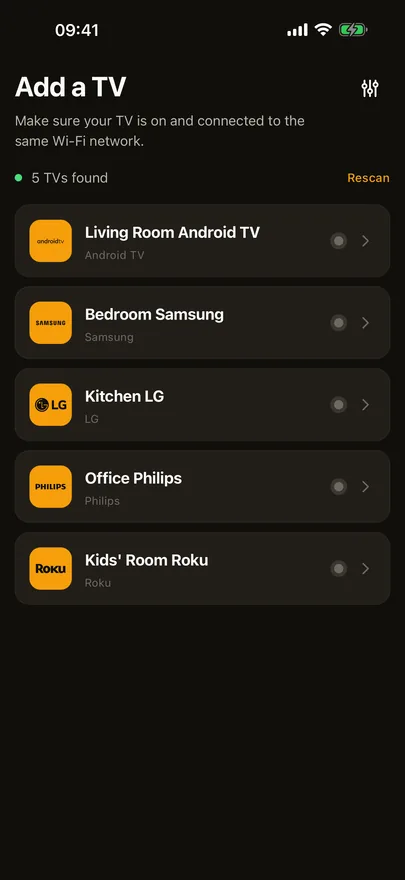
It finds your TV
Sign in with Apple or Google, and Beam scans your Wi-Fi. Supported TVs show up by brand, with nothing to type in.
Pair
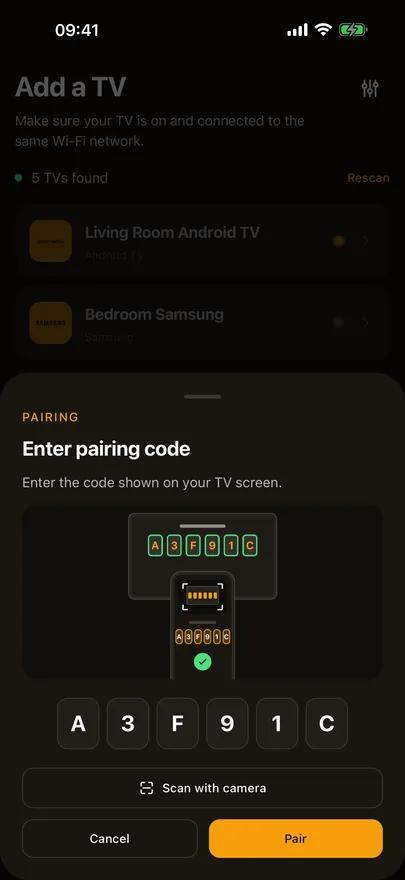
It pairs your TV's way
Approve on the TV, type the code it shows, or scan it with the camera. Some TVs need no code. Beam remembers the pairing for next time.
Control
Then it is just a remote
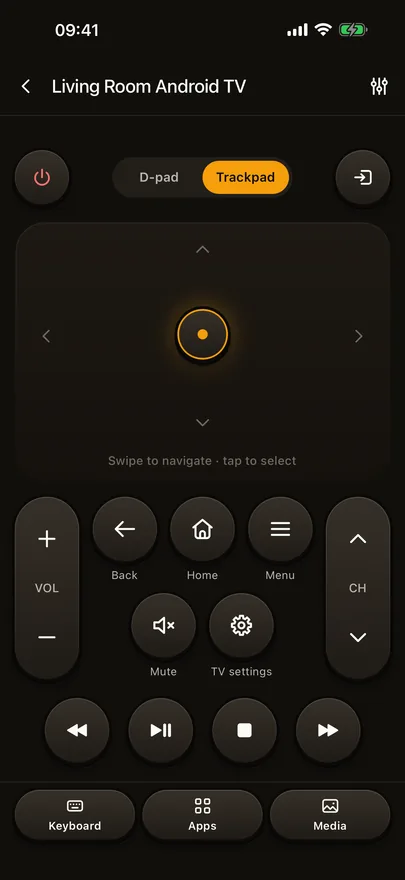
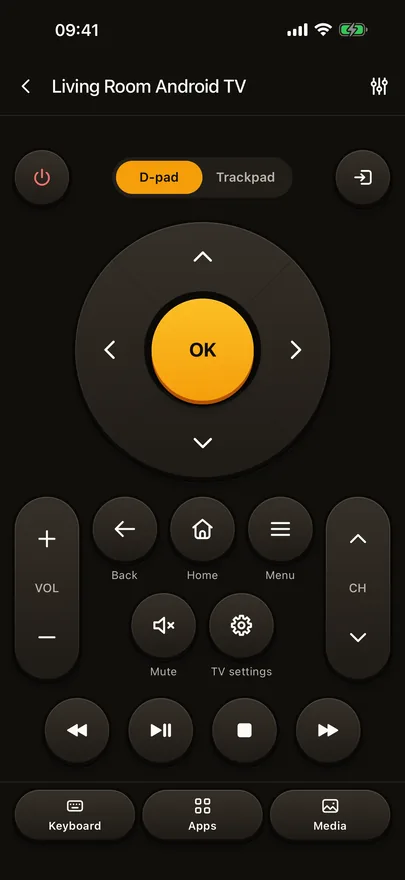
Swipe on the trackpad or use the D-pad. Volume, channels and playback are where your thumb expects them.
Showing
Features
And a few things the plastic remote never did.
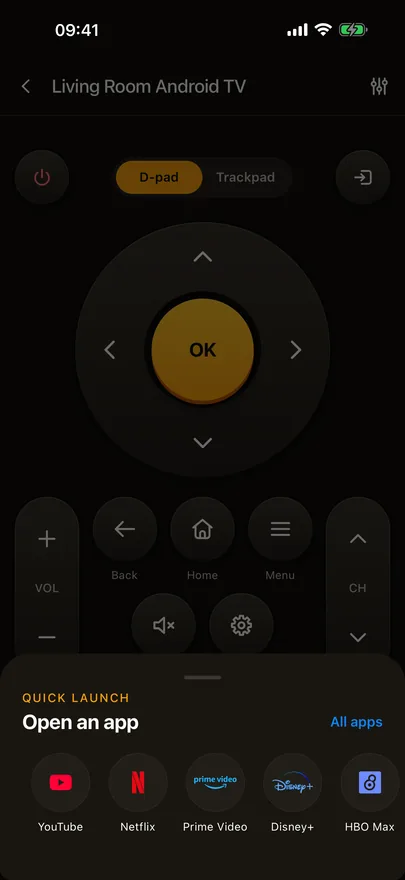
Open an app without hunting
Quick launch keeps your streaming apps a tap away, and All apps opens everything the TV can start.
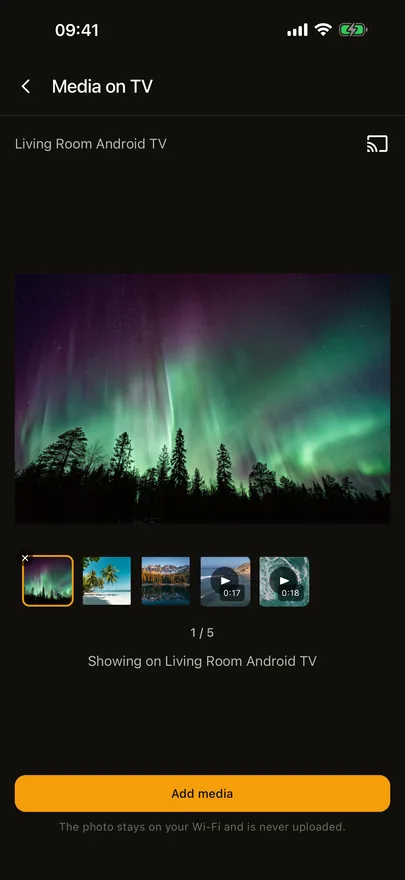
Photos and videos on the TV
Send photos and videos from your phone to the TV, where supported. They fill the screen, and they never leave your Wi-Fi.
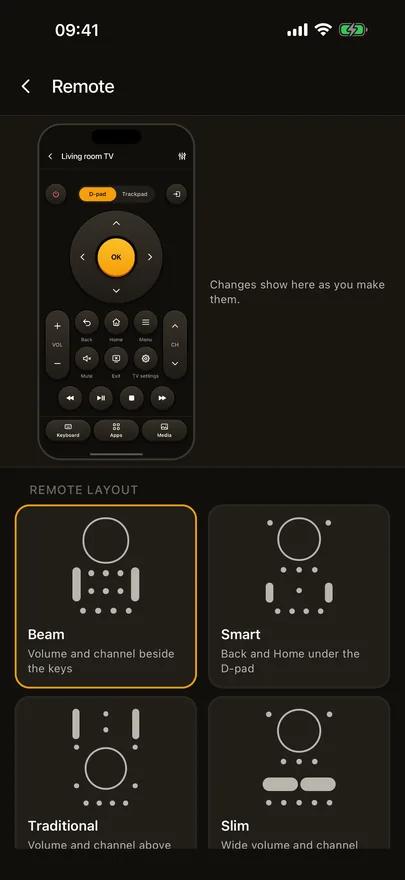
A remote that is yours
Customize remote lets you pick the layout, the keys and their color, an icon style, a background and how strong taps feel, with a live preview.
Get Beam on iPhone and iPad.
The basic remote stays free. Some features are part of Beam Premium.
Checking whether your TV works? See the TV List. Setting up? Read the Beam help and manual.