
A remote app for Fire TV, on iPhone and iPad
Beam is an independent app, not affiliated with or endorsed by Amazon.
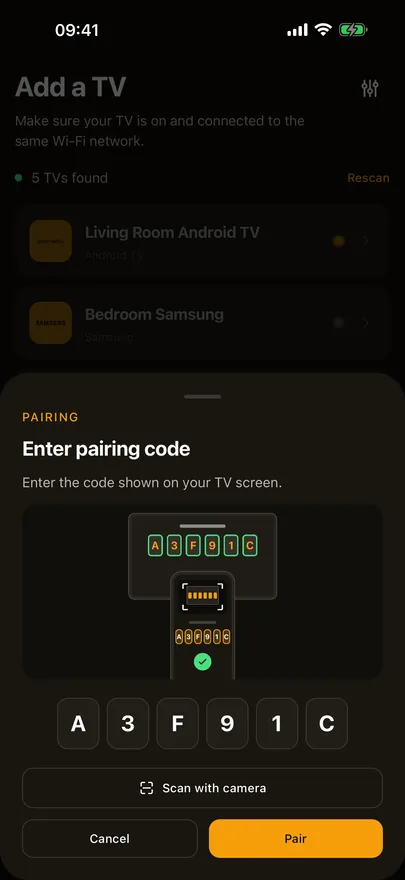
Beam controls Fire TV sticks, the Fire TV Cube and TVs with Fire TV built in over Wi-Fi. The first time, the TV shows a four digit code; type it in or scan it with the camera. Fire TV has no Channel, Input, Stop or Exit keys, and on a stick or Cube, volume, mute and power go through HDMI-CEC.

The basic remote stays free. Some features are part of Beam Premium. Checked against Beam 1.13.0, November 2026.
Which devices work
- Fire TV sticks and the Fire TV Cube running Fire OS, including older sticks, where supported.
- TVs with Fire TV built in, including Panasonic sets from 2024 on and TCL sets that run Fire TV.
- Newer sticks that run Vega OS instead of Fire OS, where supported.
How to pair
- 01
Put your iPhone or iPad on the same Wi-Fi as the Fire TV, not a guest network, and allow Local Network access when Beam asks.
- 02
Sign in with Apple or Google, then pick the Fire TV from the list Beam shows. If it is asleep, Beam wakes it first, which can take a little while on a device that has been in standby.
- 03
The TV shows a four digit code. Type it in, or tap Scan with camera and point the camera at the screen.
What you can do
- D-pad, OK, Back, Home and Menu, play and pause, rewind and fast forward, volume, mute and power.
- Swipe on the trackpad through the Fire TV home screen.
- Type into Fire TV search with the iPhone keyboard.
- Open your streaming apps from quick launch, or anything installed from All apps.
- Fire TV does not let other apps send Channel, Input, Stop, Exit or Settings, so Beam hides those buttons rather than showing keys that cannot work.
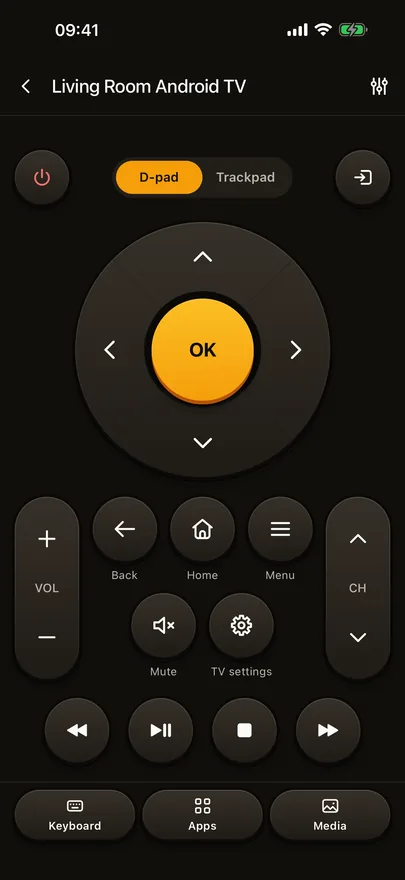
Trackpad, keyboard, quick launch, the input list and photo and video cast are part of Beam Premium. The basic remote stays free.
If it doesn't work
Volume and power do nothing on my Fire TV stick.
A stick or Cube sends volume, mute and power to the TV over HDMI-CEC. Switch HDMI-CEC on in the TV's settings. A TV with Fire TV built in needs nothing.
Connecting takes a while.
A Fire TV in standby can take up to half a minute to wake. Once it is awake, keys go through straight away.
Beam doesn't find my Fire TV.
The phone and the Fire TV have to be on the same Wi-Fi network, and guest networks usually keep devices apart. Check that Local Network access is on for Beam in iOS Settings, and that the Fire TV is plugged in and on.
Where are the channel and input buttons?
Fire TV does not let other apps send them, so Beam leaves them off the remote. Use the TV's own remote, or the TV's own settings, to change inputs.
Other TVs Beam controls
Sony, VIZIO, Sharp, Panasonic, TCL, Vestel, Whale OS and Orange are on the full list of supported TVs, and the Fire TV row has the short version of this page.