
A remote app for Roku TVs and players, on iPhone and iPad
Beam is an independent app, not affiliated with or endorsed by Roku.
Beam controls Roku TVs and Roku players over Wi-Fi, with no pairing code: it connects straight away. On Roku OS 14.1 and later, first open Settings, System, Advanced system settings, Control by mobile apps, Network access, and change Limited to Enabled. If you skip this, Beam dims the remote and shows you where the setting is.

The basic remote stays free. Some features are part of Beam Premium. Checked against Beam 1.13.0, November 2026.
Which devices work
- Roku TVs, including the Roku TV models sold by TCL, Sharp and other brands.
- Roku streaming players and sticks.
How to pair
- 01
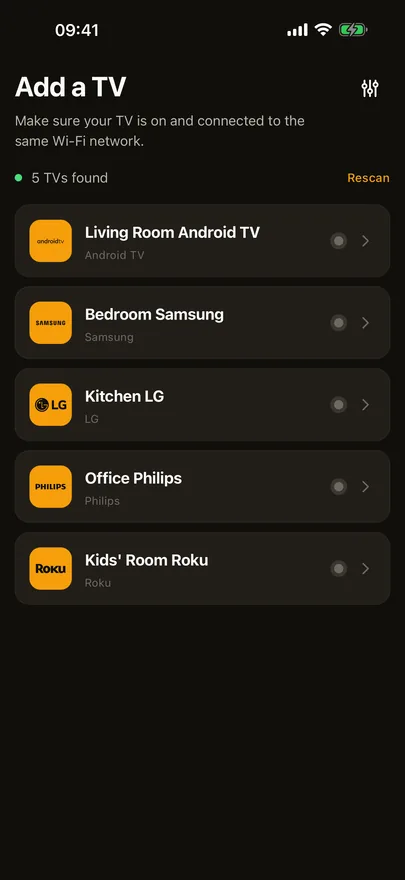
Put your iPhone or iPad on the same Wi-Fi as the Roku, not a guest network, and allow Local Network access when Beam asks.
- 02
On Roku OS 14.1 and later, open Settings, System, Advanced system settings, Control by mobile apps, Network access, choose Enabled and accept the warning on the TV.
- 03
Sign in with Apple or Google, then pick the Roku from the list Beam shows. There is no code to enter: Beam connects straight away.
What you can do
- D-pad, OK, Back and Home, volume and mute, channel up and down, power, and play, pause, rewind and fast forward.
- Swipe on the trackpad through the Roku home screen and channel rows.
- Type into Roku search with the iPhone keyboard, instead of picking letters one by one.
- Open your streaming channels from quick launch, or anything installed from All apps.
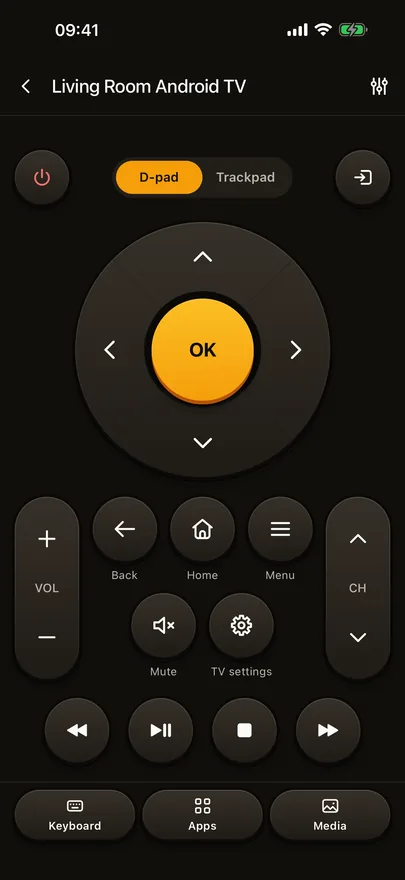
Trackpad, keyboard, quick launch, the input list and photo and video cast are part of Beam Premium. The basic remote stays free.
If it doesn't work
My Roku remote is dimmed, or the buttons do nothing.
Newer Rokus can be set to Limited, which accepts keys only from Roku's own app. When yours is, Beam dims the remote and shows you where to change that, with a picture of the TV's menu. On the Roku, open Settings, System, Advanced system settings, Control by mobile apps, Network access, choose Enabled and accept the warning on the TV, then try again.
Can I type a search on my Roku from the iPhone?
Yes. Open a search box on the Roku, then open the keyboard in Beam and type; the letters reach the Roku as you type, and deleting works the same way. The keyboard is part of Beam Premium.
Beam doesn't find my Roku.
The phone and the Roku have to be on the same Wi-Fi network. Guest and public networks usually keep devices apart. Check that Local Network access is on for Beam in iOS Settings.
Other TVs Beam controls
Sony, VIZIO, Sharp, Panasonic, TCL, Vestel, Whale OS and Orange are on the full list of supported TVs, and the Roku row has the short version of this page.